

01 how to start
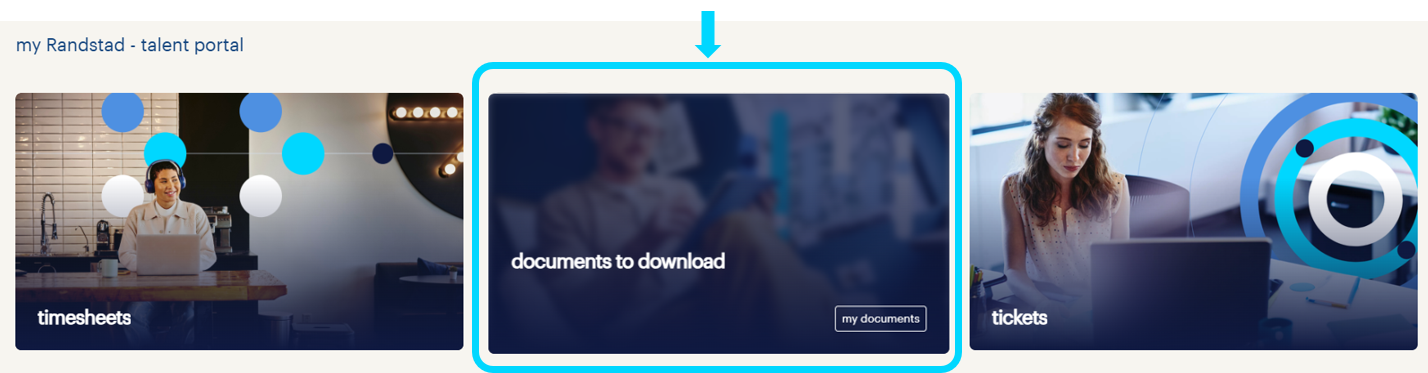
On the start screen, hover over the “documents to download” tile and click “my documents” to go to the documents section.
02 how to use
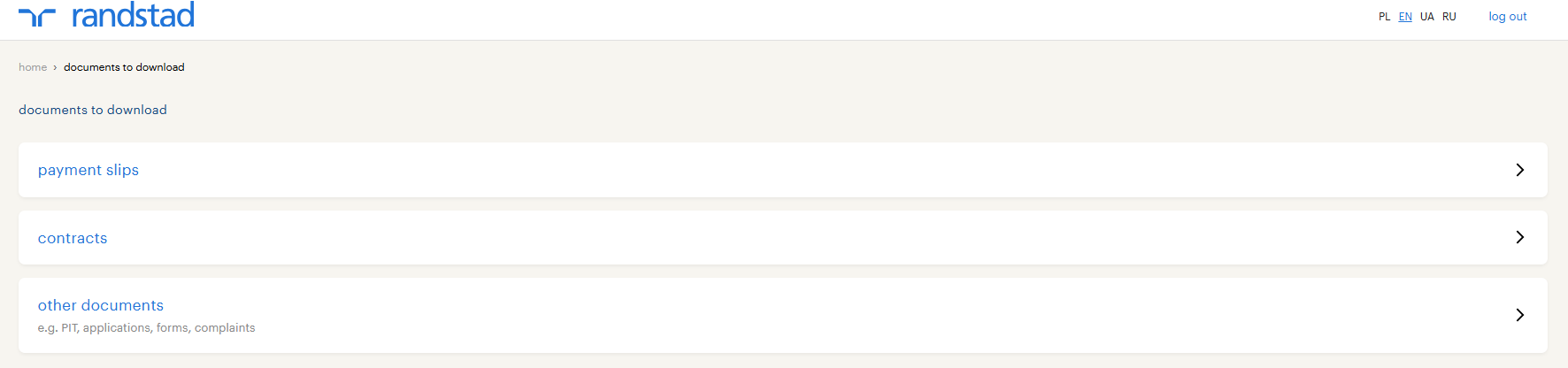
Depending on your form of employment, you will see different types of e-documents here, e.g.:
- pay slips
- contracts
- PITs and others
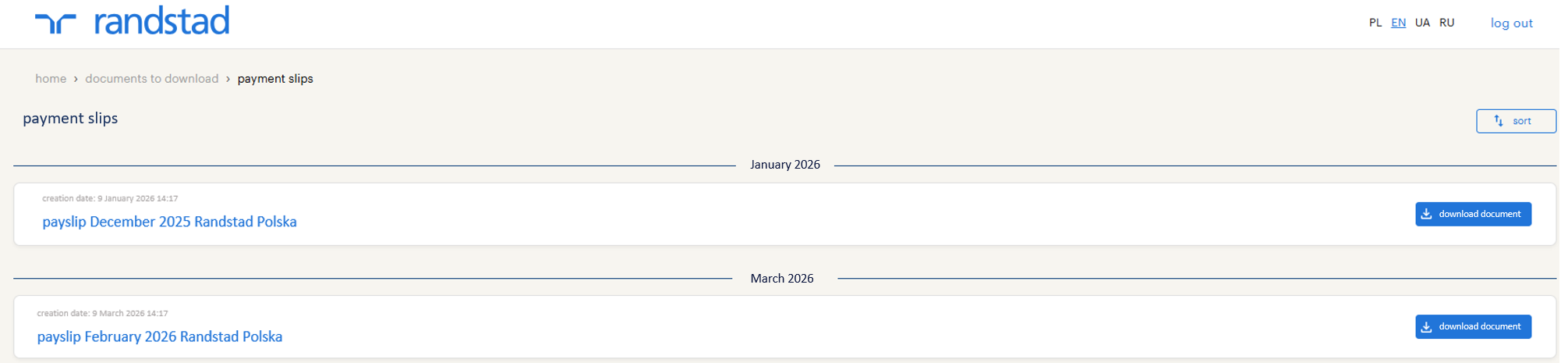
Documents are divided into appropriate categories. To see specific documents, click on a given category, e.g., “pay slips”. You will see a list of your pay slips along with information on which month they concern and when they were created.
- pay slips
- contracts
- PITs and others
Documents are divided into appropriate categories. To see specific documents, click on a given category, e.g., “pay slips”. You will see a list of your pay slips along with information on which month they concern and when they were created.
03 downloading a document
On the document list, on the right side, you will find a “download document” button, which will allow you to save it on your computer or phone. Remember that to maintain confidentiality and the security of your data, these documents are password-protected! If you do not know the password for your document, ask an HR representative.